
Create an Account
To get started with Hischool, you need to create an account.
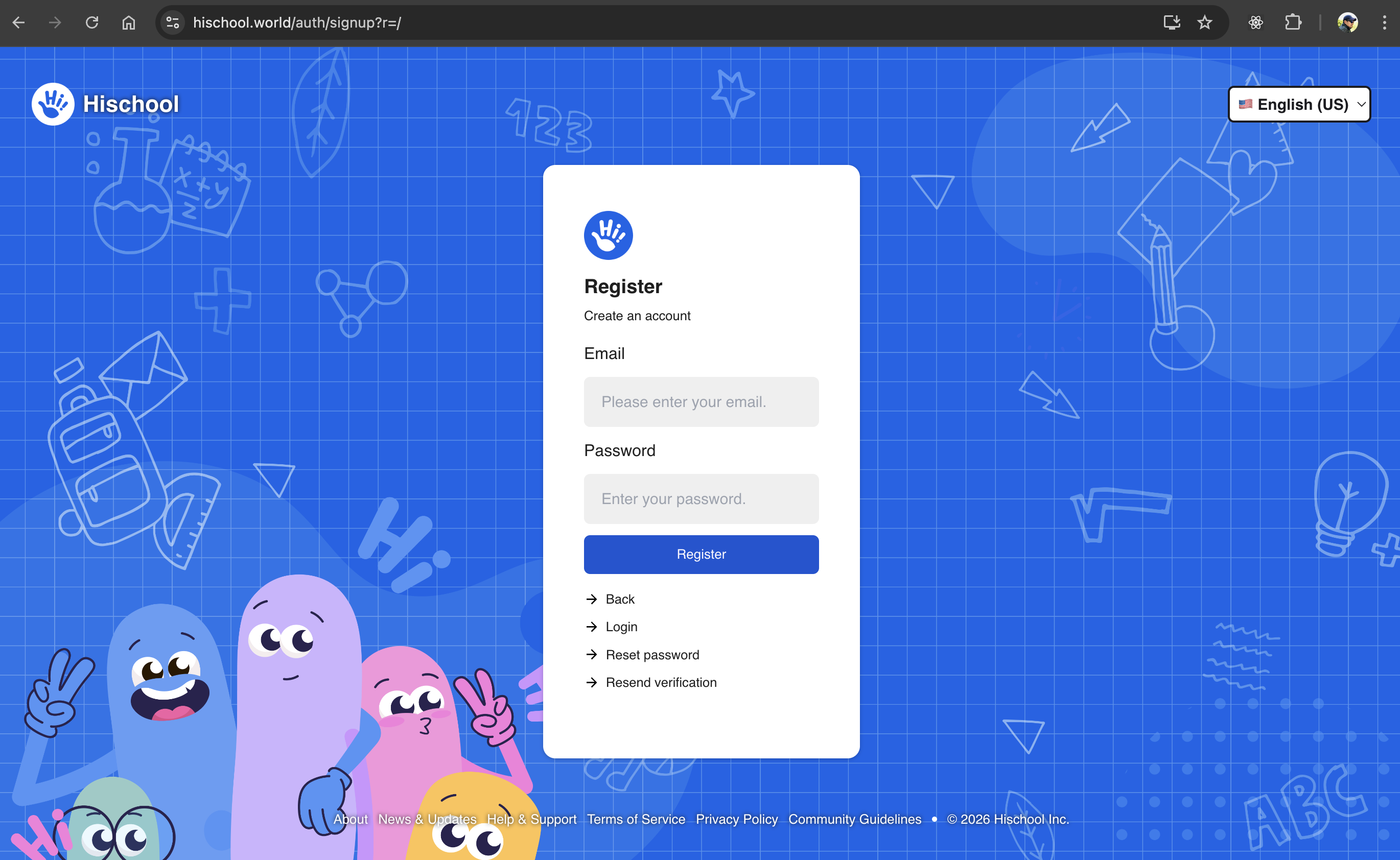
Step 1: Go to the Sign-Up Page
Section titled “Step 1: Go to the Sign-Up Page”Visit the official sign-up page:
👉 https://app.hischool.world/auth/signup
You can register using only your email address and password.
Step 2: Enter Your Email and Password
Section titled “Step 2: Enter Your Email and Password”Email Address
Section titled “Email Address”- Use a valid and active email address.
- A verification email will be sent to the address you provide.
- If you don’t receive the email, check your Spam or Junk folder.
If the email is still missing, try requesting a new verification email from the sign-up page.
Password Requirements
Section titled “Password Requirements”Your password must:
- Be at least 8 characters long
- Include a mix of:
- Uppercase letters
- Lowercase letters
- Numbers
- Special characters
Using a strong password significantly reduces the risk of unauthorized access.
Step 3: Verify Your Email Address
Section titled “Step 3: Verify Your Email Address”After submitting your registration:
- Open the verification email sent to your inbox.
- Click the verification link.
Important notes:
- The verification link can be used only once.
- After successful verification, you will be automatically logged in.
- You will not be asked to re-enter your password.
Step 4: Create Your Username
Section titled “Step 4: Create Your Username”Once your email is verified, you will be prompted to create a username.
Your username:
- Must be unique (no duplicates allowed)
- Can contain:
- Lowercase letters
- Numbers
- Cannot contain spaces or special characters
This username will identify you across the Hischool platform.
Next Steps
Section titled “Next Steps”After creating your account, you can:
- Complete your profile
- Create your first school
- Join an existing school
For more information:
You’re now ready to start using Hischool.