
Join a School
To participate in learning and collaboration, you must join a School.
Hischool supports three ways to join a school:
- Join a discoverable (public) school
- Use an invite link
- Use an invite code
Option 1: Join a Discoverable School
Section titled “Option 1: Join a Discoverable School”If a school is set as a Discoverable School, it can be found through the platform’s Discover feature.
Steps:
Section titled “Steps:”- Open the Discover menu.
- Navigate to the Schools section.
- Browse or search for the school.
- Click Join.
You will immediately become a member.
Discoverable schools do not require approval or an invitation.
Option 2: Join with an Invite Link
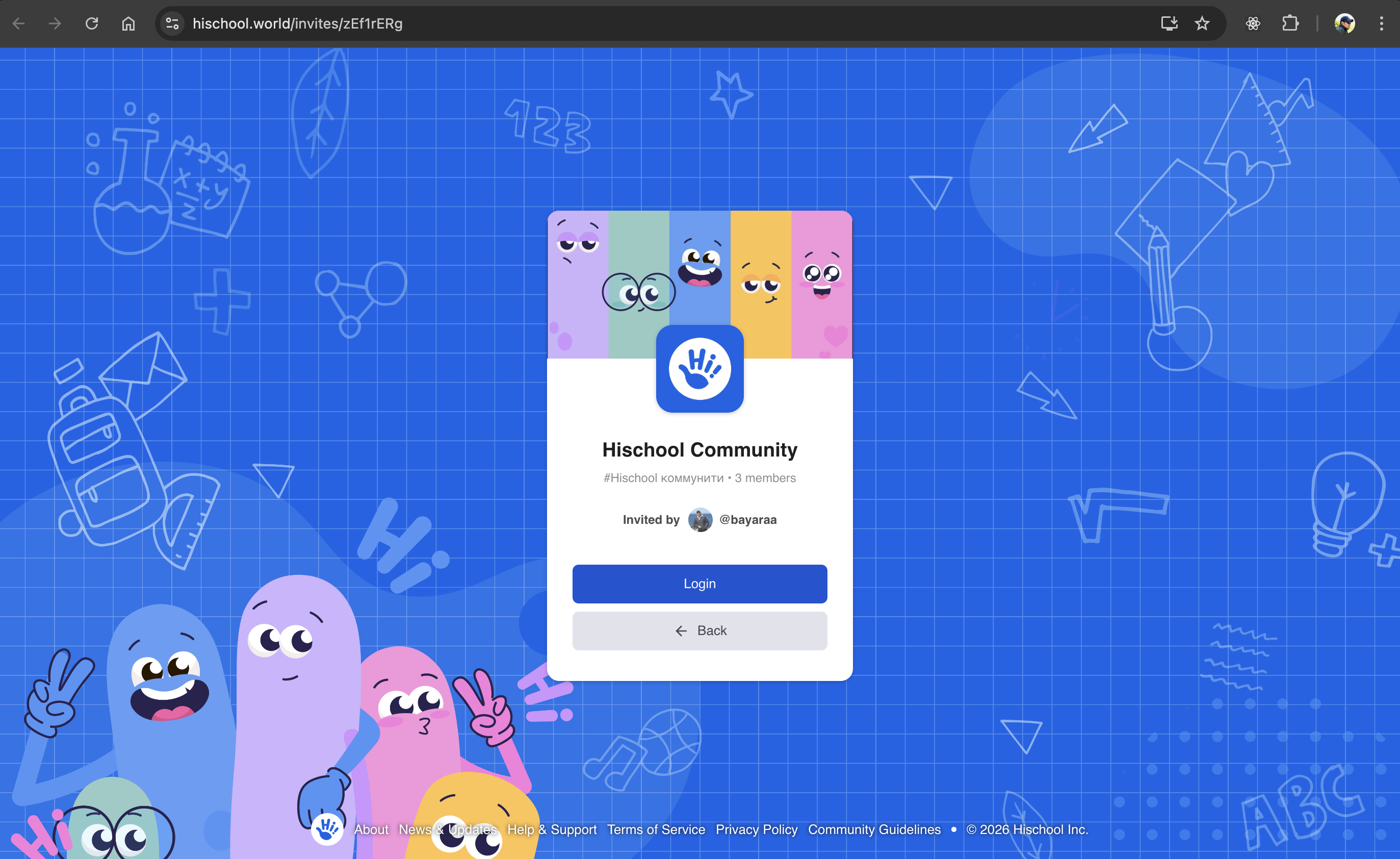
Section titled “Option 2: Join with an Invite Link”Private schools require an invitation.
An Invite Link is a unique link generated specifically to invite members.
What you will see on the invite page:
Section titled “What you will see on the invite page:”- School information
- The name of the person who invited you
- The group you are invited to (if applicable)
Steps:
Section titled “Steps:”- Click the invite link shared with you.
- Sign in to your Hischool account (or create one).
- Review the school details.
- Click Join School.
After confirmation, you will become a member instantly.
Invite links are unique and may expire depending on school settings.
Option 3: Join with an Invite Code
Section titled “Option 3: Join with an Invite Code”An Invite Code is a unique 8-character code consisting of letters and numbers.
It is generated for a specific invitation.
Method 1: From the Home Page
Section titled “Method 1: From the Home Page”- Go to your Home page.
- Click the + button in the top-right corner.
- Select Join School.
- Enter the invite code.
- Confirm.
Method 2: From the Navigation Bar
Section titled “Method 2: From the Navigation Bar”- Click + Create or Join in the navigation bar.
- Select Join School.
- Enter the invite code.
- Confirm.
If the code is valid, you will immediately join the school.
After Joining a School
Section titled “After Joining a School”Once you join, you can:
- View available groups
- Participate in discussions
- Access school activities
- Receive announcements and notifications
Your permissions depend on your assigned Role.
Learn more about Roles & Permissions.
Important Notes
Section titled “Important Notes”- Discoverable schools allow open joining.
- Private schools require an invite link or invite code.
- Invite links and invite codes are unique.
- Links or codes may expire depending on configuration.
- If a link or code does not work, contact the school administrator.
You are now ready to collaborate inside Hischool.