
Verify Your Email Address
After creating a Hischool account, you must verify your email address before accessing the system.
⚠️ If you register but do not click the verification link sent to your email, you will not be able to access the system.
Email verification helps protect your account and ensures secure communication.
Why Email Verification Is Required
Section titled “Why Email Verification Is Required”Verifying your email allows Hischool to:
- Confirm that you own the email address
- Prevent unauthorized access
- Send important notifications and updates
- Enable password recovery
Until your email is verified, access to the platform is restricted.
Step 1: Check Your Inbox
Section titled “Step 1: Check Your Inbox”After signing up:
- Open your email inbox.
- Look for a verification email from Hischool.
- Click the Verify Email button inside the message.
You will be redirected back to Hischool once verification is complete.
Verification Link Expiration
Section titled “Verification Link Expiration”Verification links are time-sensitive for security reasons.
If you do not click the link before it expires, you will need to request a new verification email.
Request a New Verification Email
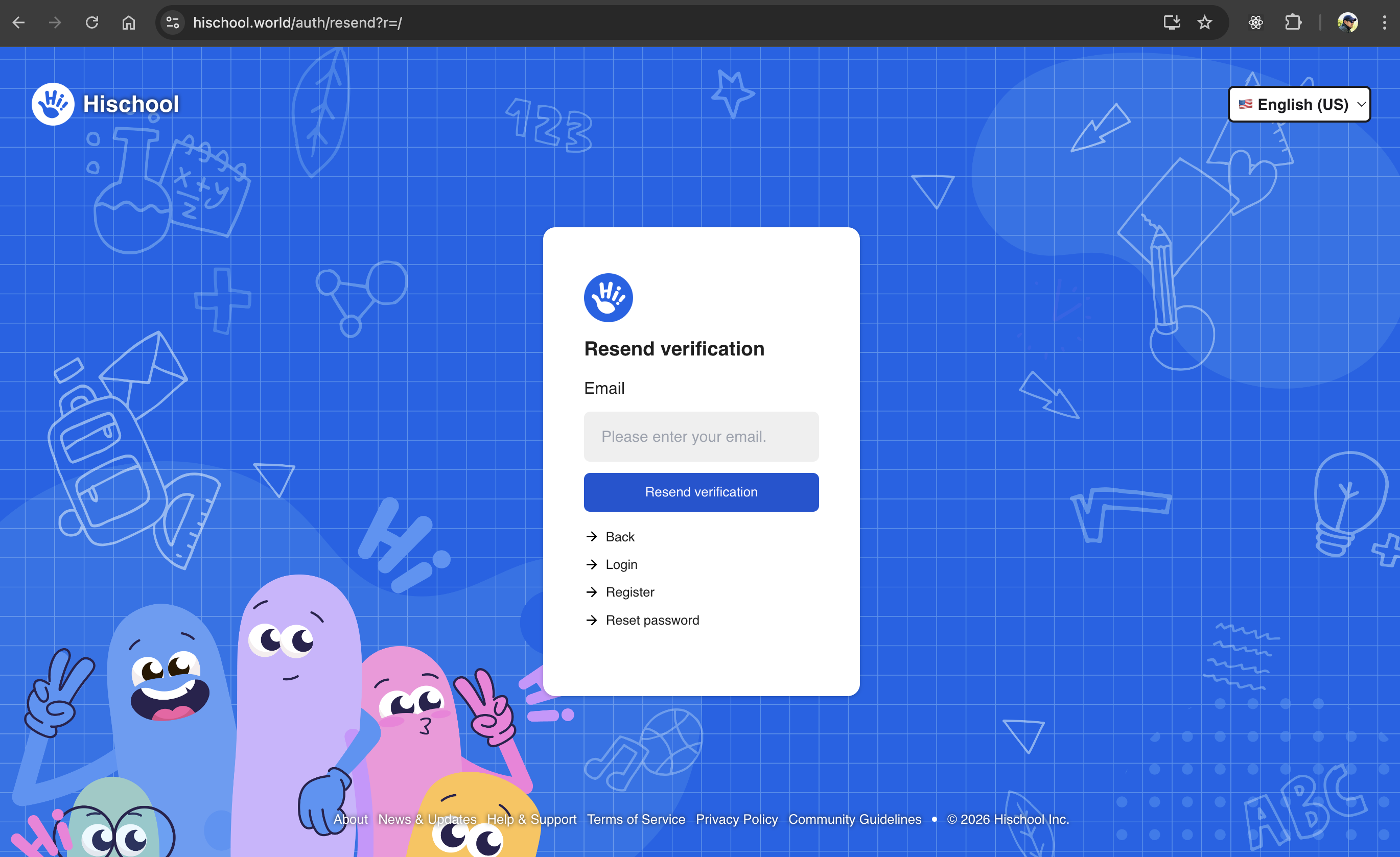
Section titled “Request a New Verification Email”If your verification link has expired or you did not receive the email:
👉 https://app.hischool.world/auth/resend
- Enter the email address you previously registered with (but have not yet verified).
- Submit the form.
- We will send a new verification email to your inbox.
- Open the latest email and click the verification link.
Always use the most recent verification email.
Step 2: Sign In
Section titled “Step 2: Sign In”After successful verification:
- Go to the sign-in page.
- Enter your email and password.
- Click Sign In.
I Didn’t Receive the Verification Email
Section titled “I Didn’t Receive the Verification Email”If you cannot find the verification email:
- Check your spam or junk folder.
- Wait a few minutes and refresh your inbox.
- Make sure you entered the correct email during registration.
- Try requesting a new verification email at: 👉 https://app.hischool.world/auth/resend
I Entered the Wrong Email Address
Section titled “I Entered the Wrong Email Address”If you registered with an incorrect email address:
- Create a new account using the correct email address, or
- Contact your school administrator if your account is managed by an organization.
I Forgot My Password
Section titled “I Forgot My Password”If you cannot remember your password, visit:
👉 https://app.hischool.world/auth/reset
See: Reset Your Password
Security Reminder
Section titled “Security Reminder”For your protection:
- Only click verification links from official Hischool emails.
- Do not share verification links with others.
- Ensure your email account is secure.
Still Having Trouble?
Section titled “Still Having Trouble?”If you are unable to verify your email:
- Confirm the email address you used during registration.
- Check your spam folder.
- Request a new verification email.
- Contact your school administrator or Hischool support.
Once your email is verified, your account will be fully activated and ready to use.